

CRM Demo Checklist for Sales Teams (2026): 12-Point Scorecard
A vendor-neutral 12-point CRM demo checklist for sales managers. Score lead capture, ownership, pipeline stages, follow-up, automation, reporting, integrations, permissions and adoption. Includes a demo agenda and vendor questions; verify each vendor's current plan limits, security terms and implementation requirements.
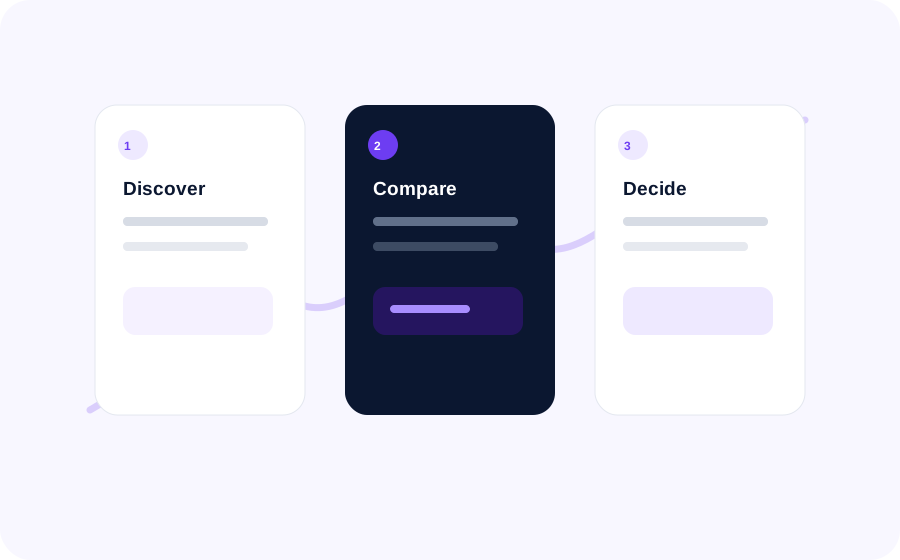
A CRM demo should show whether the software can support the way your sales team actually works—not just whether the dashboard looks impressive. Use the same scenario with every vendor, record what you can verify, and separate must-have requirements from features that would be nice to have.
This checklist is vendor-neutral. CRM capabilities, plan limits, integrations and security terms vary by product and subscription. Confirm each item in the current vendor documentation and your own demo; do not assume a feature is included because it appears in a sales presentation.
Before the demo: define the workflow
Bring one realistic, fictional lead and one example opportunity. Decide in advance:
- Who creates and owns a lead?
- What information must be captured?
- Which stages describe your actual sales process?
- What follow-up should happen next?
- Which report would a sales manager use every week?
- Which requirements are mandatory for security, migration or integrations?
Use synthetic data during the demo. Avoid sharing real customer records, confidential notes or personal information unless your organization has approved the vendor and the data-handling arrangement.
The 12-point CRM demo scorecard
For every checkpoint, ask the vendor to demonstrate the workflow and note the evidence. A verbal “yes” is not the same as seeing the feature work.
1. Lead capture
Test: Add a fictional lead with the fields your team needs, such as name, company, source and next action. Ask how leads arrive from your actual channels and whether duplicate records can be detected.
Record: Required fields, source tracking, duplicate handling and any integration or plan dependency.
2. Ownership and routing
Test: Assign the lead to a representative and change its owner. Ask how your team would route leads by territory, segment or workload if that matters to your process.
Record: Manual steps, routing rules, permissions and what happens when no owner is available.
3. Pipeline stages
Test: Move the sample opportunity through the stages your team uses. Explain what must be true before a deal can move forward, and ask whether stage names, required fields and views can be configured.
Record: Stage flexibility, required information, visibility and whether the workflow matches your sales process. There is no universal set of stages that fits every business.
4. Activities and follow-up
Test: Log a call or meeting, add a note, and schedule the next task. Show how a representative sees overdue and upcoming follow-ups.
Record: Task ownership, reminders, activity history and the steps required to keep the record current.
5. Automation and exceptions
Test: Ask the vendor to demonstrate one useful rule—for example, creating a follow-up task after a qualifying event. Then test what happens when the condition is not met or the action fails.
Record: Trigger, conditions, actions, error handling, visibility and whether the automation is available on the plan being quoted. Official Pipedrive documentation describes automation conditions and plan-dependent availability; verify current terms for the product you evaluate.
6. Reporting for sales managers
Test: Build or open a report showing the measures your manager actually reviews, such as open opportunities by stage, owner or source. Apply a date filter and inspect the underlying records.
Record: Filters, definitions, refresh behavior, export options and whether the report can be shared. Do not accept a chart without confirming what its metrics include.
7. Data quality and duplicates
Test: Add a second fictional record with similar details. Ask how the CRM identifies duplicates, standardizes fields and supports bulk updates.
Record: Duplicate rules, import validation, required fields and the process for correcting records without losing history.
8. Permissions and auditability
Test: Show the difference between a representative, manager and administrator. Ask who can view, edit, export or delete records, and what history is available for sensitive changes.
Record: Role configuration, access restrictions, audit history, retention controls and the documentation your security team needs. Request written answers for anything the demo cannot verify.
9. Integrations and data flow
Test: Pick one required connection—such as email, calendar, web form, accounting or support software—and ask the vendor to explain or demonstrate the actual data flow.
Record: Supported connector, direction of sync, frequency, failure handling, setup owner, plan eligibility and additional charges. A marketplace listing alone does not prove the integration meets your use case.
10. Mobile and everyday usability
Test: Complete the most common field workflow on a phone or tablet: find the lead, update its stage, log an activity and set the next action.
Record: Required taps, missing fields, offline behavior if relevant, and whether the team can finish the task without returning to a desktop.
11. Migration and export
Test: Ask the vendor to walk through a sample import and show how records, owners, activities and attachments are handled. Confirm how you would export data if you left.
Record: Accepted formats, field mapping, migration responsibility, validation, export scope, timing and any fees. Get the answer in writing before signing.
12. Adoption, administration and support
Test: Ask how a new representative is onboarded, how managers monitor record quality, and how an administrator changes fields or workflows after launch.
Record: Training resources, support channels, configuration ownership, change process and the recurring work required to keep the CRM useful.
How to score the demo
Use a simple rating for each checkpoint:
- 0 — Not demonstrated: unavailable, unclear or not shown.
- 1 — Workaround: possible, but requires extra manual steps or another tool.
- 2 — Meets requirement: the demonstrated workflow fits the stated need.
- 3 — Strong fit: the workflow fits well and the vendor clearly explains its limits.
Assign each requirement a weight before the demo: 3 for critical, 2 for important and 1 for optional. Multiply the rating by the weight and record the evidence beside the score. Use the total to organize discussion—not as a universal product ranking.
Decision rule: A vendor that fails a mandatory requirement should not be rescued by a high total score. Mark the requirement as unresolved, request written confirmation or remove the vendor from the shortlist.
A repeatable 45-minute demo agenda
- 5 minutes: Confirm the team’s process, users and must-have requirements.
- 20 minutes: Run the same lead-to-opportunity scenario: capture, assign, move stages, log activity and schedule follow-up.
- 10 minutes: Demonstrate one automation, one manager report and the required integration.
- 5 minutes: Review permissions, migration, export and plan limits.
- 5 minutes: List unanswered questions, owners and due dates for follow-up.
If the vendor cannot demonstrate a required workflow within the time, record it as “not demonstrated” rather than assuming it works.
Questions to ask before choosing
- Which quoted plan includes every requirement we marked as mandatory?
- Are there limits on users, records, automation, reports, API calls or storage?
- Which integrations require extra setup, another subscription or a third-party provider?
- Who is responsible for migration, validation and training?
- What access controls, audit records, retention terms and export options are documented?
- What support is included, and what response commitments are written into the agreement?
- How can we test the workflow with a small pilot before rolling it out?
After the demo: make a defensible shortlist
Within one working day, ask each vendor to answer unresolved questions in writing. Compare the same requirements, quoted plan, implementation work and ongoing administration effort. Keep vendor claims separate from what your team personally verified.
For a pilot, choose a small group and a limited set of real workflows only after your organization has approved the vendor and data handling. Define success in advance—for example, whether representatives can complete the lead, opportunity and follow-up workflow consistently. Review adoption and data quality before expanding.
Compare CRM options with Cogatrix
Use this scorecard alongside Cogatrix’s existing CRM resources:
- CRM software for sales teams — review the sales-team use case.
- CRM requirements checklist — define requirements before demos.
- Browse software profiles — explore the directory.
- Compare software — compare options where the relevant profiles are available.
- Software Decision Tool — use your requirements to narrow the shortlist.
Next step: Complete the scorecard for each shortlisted CRM, keep the evidence and unanswered questions, then use Cogatrix Compare or the Software Decision Tool to continue evaluating the options. Confirm current vendor features, plan limits and terms directly before purchasing.
Sources and fact-check notes
- Salesforce Trailhead: Customize Opportunity Stages — supports the principle that opportunity stages can be configured for a specific sales process. The article does not prescribe one universal pipeline.
- Salesforce Trailhead: Visualize Success with Path and Kanban — demonstrates stage-based opportunity views and record updates.
- Pipedrive: Automation Conditions — describes triggers/conditions and notes plan-dependent availability. Check the current vendor plan and limits.
- Pipedrive: Deal Performance Reports — describes reporting on deals started, won and lost and the report’s filter, visual and table views.
Editorial note: This is a vendor-neutral evaluation framework, not independent product testing, legal/security advice or a ranking. Features and subscription limits change. Verify claims with current vendor documentation and your own approved demo.